
Organizing daily tasks can be a persistent struggle for both novice and seasoned attorneys.
Advocacy entails overseeing time limits, court sessions, client consultations, and the office’s finances.
A well-organized plan serves as more than just a tool for planning; it also helps in achieving higher productivity and peace of mind.
Why is it crucial to use a planner for career advancement?
Organizing your daily tasks with a timetable involves more than just scheduling appointments.
It is a method to take charge of your work life, ensuring that each task is handled with increased focus and commitment.
Advocacy is a fast-paced field, often filled with various deadlines, obligations, and tasks that can quickly become overwhelming.
By setting up a structured schedule, whether physical or digital, you establish a method to prevent overlooking details and effectively prioritize your tasks.
This provides clarity and reduces daily stress, enabling you to concentrate on providing high-quality service to customers and advancing your career.
Legal Agenda 2025: Complete PDF
Our 2025 Legal Agenda template is provided to support your success with a unique blend of simplicity and specialized tools for lawyers, catering to those in need of convenience and efficiency in a single location.
Practical and intuitive, it features:
- View important obligations on a larger scale with a monthly planner.
- Organize daily tasks with a focus on details using a Weekly Planner.
- Track finances by monitoring inputs, outputs, and budgets.
- Registering pertinent locations, schedules, and details for audience management.
- Organize and manage your procedural deadlines effectively with time frame control.
- Maintain records of meetings and conversations for control purposes.
Starting the week with all your commitments organized, knowing exactly where you need to be and which tasks require immediate attention would be ideal.
This level of structure enhances efficiency and lowers the risk of missing important deadlines.
Access the complete and complimentary PDF version of our Legal Agenda 2025.
How can technology improve your business?
The mix of a physical schedule with electronic resources offers the advantages of both methods:
- Physical model: aids in the explicit and concrete structuring of obligations.
- Digital solutions provide convenience, accessibility from anywhere, and seamless integration with other essential technological tools required for a lawyer’s daily activities.
Google Calendar, for instance, is a no-cost option that is linked with other Google applications, accessible on Android and IOS devices, and user-friendly.
We created a comprehensive guide to assist you with your daily tasks.
Setting up Google Calendar for attorneys tutorial
You need a Google account to begin using Google Calendar.
- If you are already registered, please go to https://calendar.google.com/calendar/
- If you don’t possess a Google account, sign up at https://www.google.com/intl/en-BR/account/about/
- To establish a collaborative schedule for your workplace, visit the following link: https://workspace.google.com/business/signup/welcome?hl=en-BR&source=gafb-lp_calendar-hero-pt-BR&ga_region=latam&ga_country=en-BR&_gl=1*43gty3*_cliMQ. d.7
Explore the features with your account set up and availability, focusing on those that are essential.
Organize a gathering.
With Google Open Calendar on Browser or Application:
- Click the “Create” button.
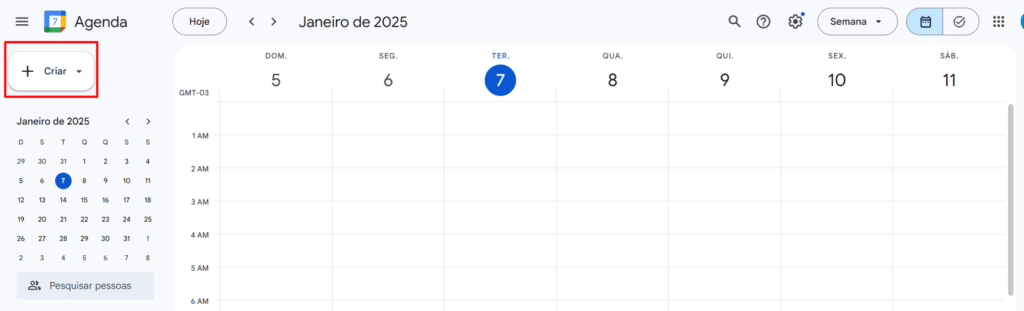
- Provide the following information: event title (e.g. “Meeting with X client”), date, time, and venue.
You can include a description, Google Drive attachment, or video conferencing link for your event, providing easy access to this information during the event.

Use colors to represent appointments.
Use blue to indicate audiences, green for meetings, and red for important deadlines.
It’s simple to check your schedule daily in a quick and effective manner. Just ensure the caption is relevant to your daily routine and work environment.

Set up reminders.
- Click on your event, select Edit, and set up alerts to get notifications ahead of key audiences or deadlines.
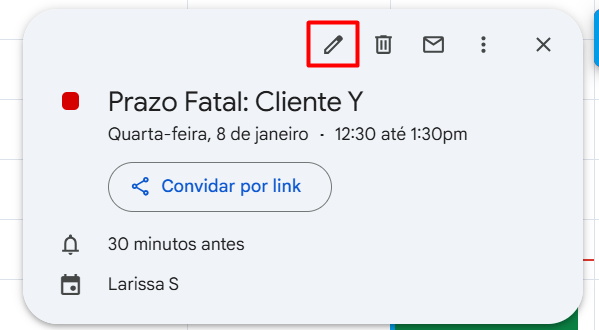

- Select specific timeframes like one day or one hour prior to the appointment.
Generate distinct timetables.
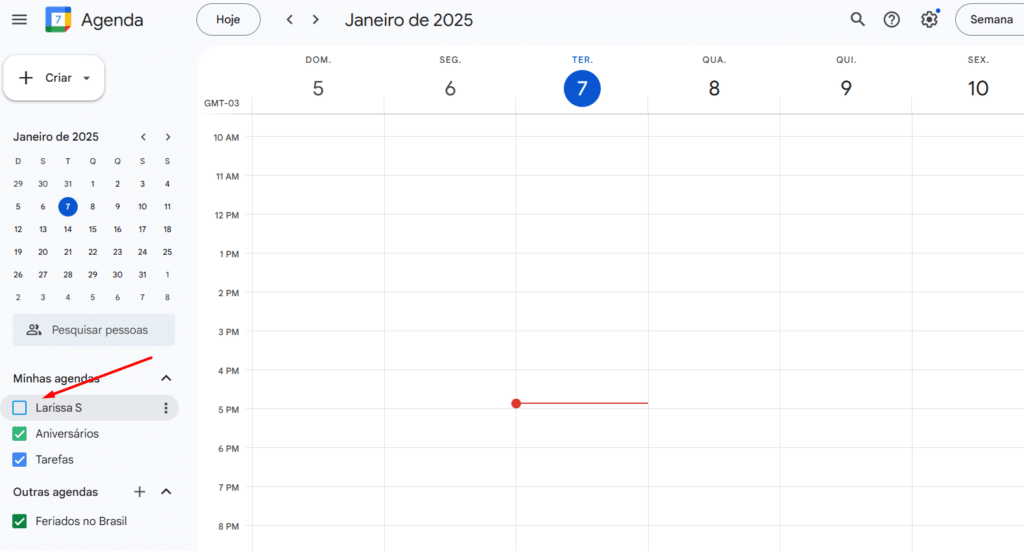
You can categorize your Google Calendar into sections like “Appointments”, “Meetings”, and “Personal To-Dos” if you have various types of commitments.
- Click on the “Add a new schedule” button and enter your details.


- To choose the schedule corresponding to a specific appointment, edit the “Event” and select the Agenda.

chsyys/GettyImages
Appointments created on a schedule are connected to it, meaning they will not show up if the schedule is not chosen.

Share upcoming events and schedules:
Invite customers or team members directly through the event.

Share a complete schedule for everyone to track real-time responsibilities.

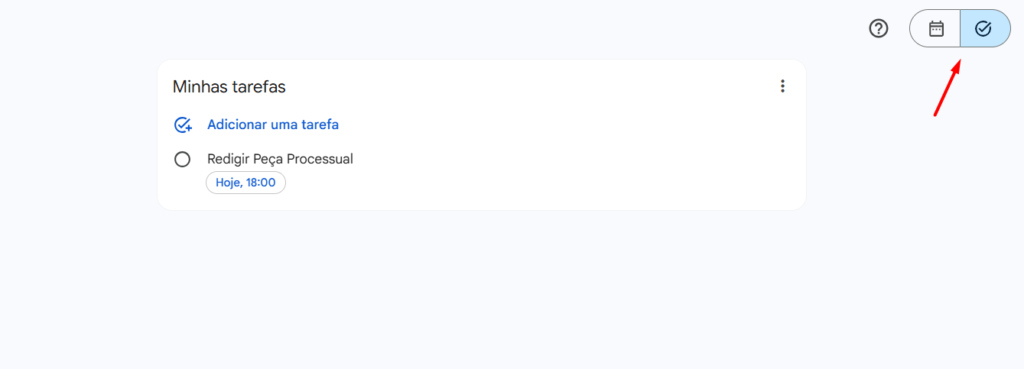
Create a Task: –> Make a Task
- Click the “Create a Task” button and enter the required information.


chsyys/KaboomPics
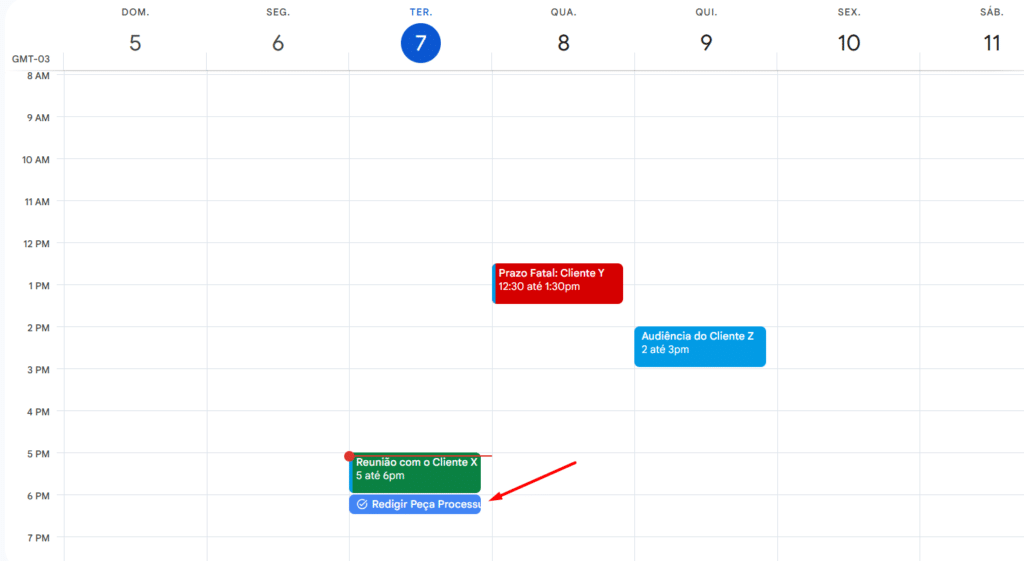
The “Calendar” and “Checkbox” icons provide a distinct display of your timetable and to-do list.
Schedules of Timetables.
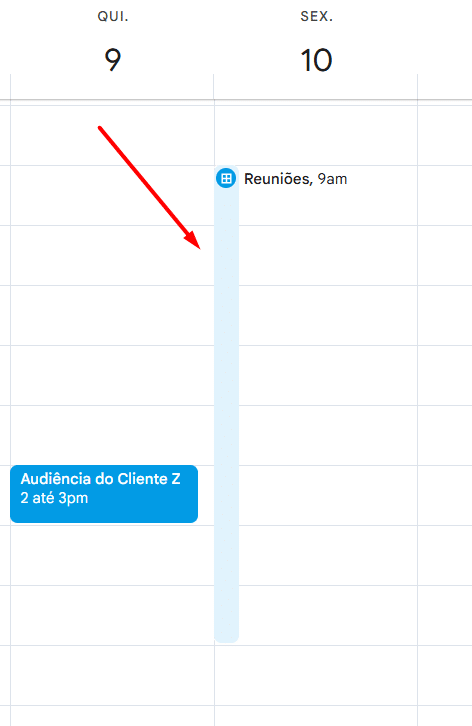
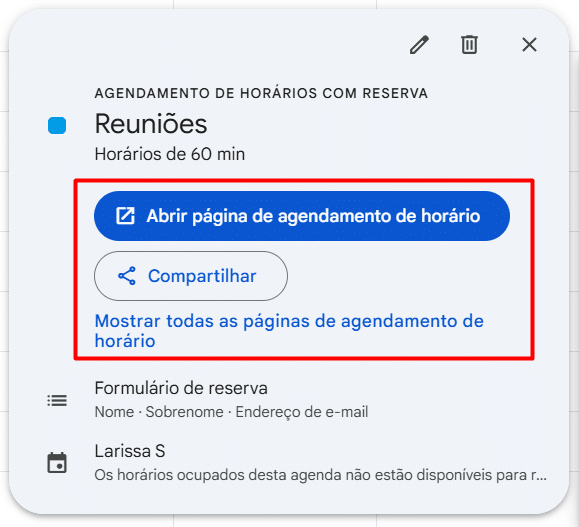
Allocate time in your schedule to share your availability links with customers.
- Click the “Create Schedule” button and provide information about when you are available on the schedule.


- Click on your spots and select “Open Schedule Page” or “Share” to submit your link.
Synchronize with different devices.
- Download the application on your mobile device or tablet.
- Sync must be enabled to view your appointments whenever you need.
Begin 2025 with your daily schedule organized.
Utilizing a personalized timetable such as the 2025 Legal Agenda along with digital resources is key to achieving a structured and productive schedule.
Spend less time on disorder and more on advancing your career. Get the free template now and begin 2025 with everything in order!
